
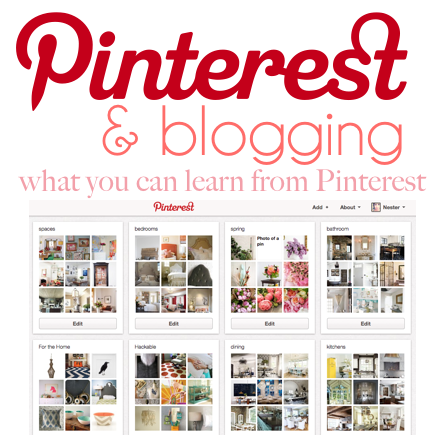
As I mentioned yesterday, Pinterest was the second largest referral for Nesting Place this year {only Stumble Upon surpassed it}. I thought I’d share a few things I’ve learned so far about using Pinterest. If you aren’t familiar with the site here’s what Pinterest has to say about itself.
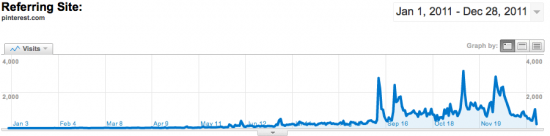
I’m not sure what happened in September but, since around September, Nesting Place has received over 100,000 hits from Pinterest. According to that graph unless Pinterest blows up next year they will most likely be the highest referral for Nesting Place for 2012.
Low tech spying
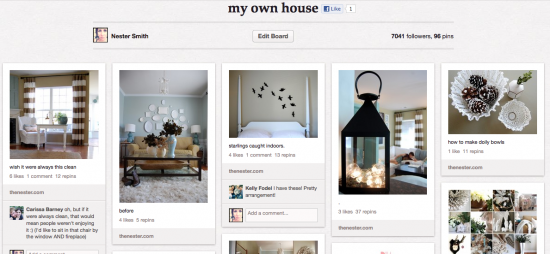
You can learn so much by what people are pinning from your site. To find that information all you have to do is go to one of your photos that has been pinnned {I have a “my own house” board so I click on one of those photos at Pinterest} or pin one of your own photos from your site and then click on it to make it big…
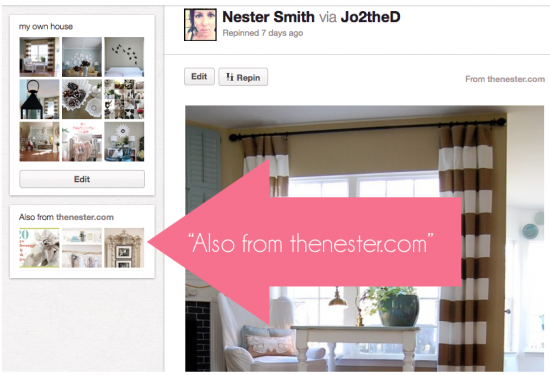
Then over there on the bottom left you see “Also from thenester.com” or whatever your site is. Click on that and for me it takes me to pinterest.com/source/thenester.com where I can see all the most recent pins that originated at Nesting Place…
OR {edited with smarts from your brilliant comments} if you aren’t on Pinterest a much simpler way is to type in pinterest.com/source/thenester.com and replace “thenester.com” with your own site URL. Then bookmark that so you can easily click it whenever you need a pin-pick-me-up.
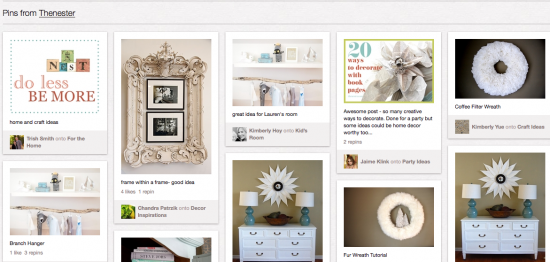
And it takes you to page with all the most recent pins from your site. For a house blogger like me this page is pure gold. From this screen shot alone here’s what I observe::
1. Wow, someone pinned an AD from Nesting Place {do less be more} THAT is huge, DaySpring and I work together to have fantastic ads and the fact that this ad has been pinned over and over tells me we are onto something.
2. I see three pins from my 31 day series from back in October, Wow!
3. People are still all about wreaths and I am so glad because I love wreaths
4. That sunburst mirror has yet to run its course {it’s the most popular/viewed post here at the Nest}
5. I can see people’s comments! Oh my word this is AMAZING.
6. The “20 ways to decorate with book pages” graphic has paid off which leads to my next point…
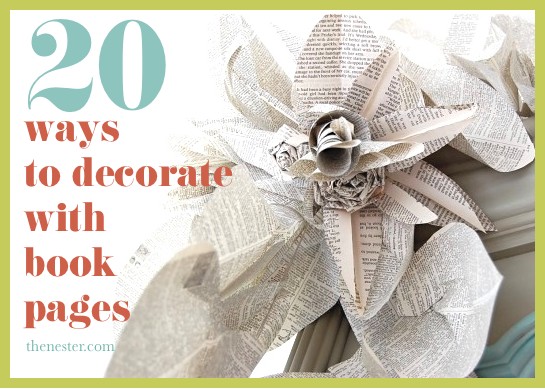
Pinterest Changed the Way I Use Photos at Nesting Place
I noticed traffic coming in from Pinterest and many of the pins linked to odd photos where people had to remind themselves in their comments of why they pinned the photo. I thought I’d experiment and make it easier on pinners who might want to pin a great photo with words so they wouldn’t have to remind themselves what it was. This photo gets pinned/repinned a few times every day. When it came time for me to write the post about how I decorated for my sister’s book signing party, I knew I wanted to make a graphic that would be pin-friendly. For that post it meant one with words and a close up of an interesting, eye-catching book page flower.
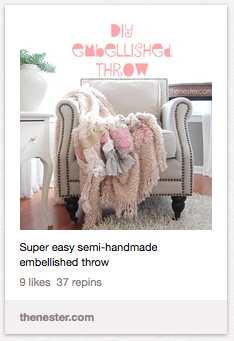
Here’s another example of putting the words on the photo to help explain what the post is about. I usually don’t take the time for a watermark unless it’s for the vanity shot that I want people to pin. Then I’ll sometimes add in a little thenester.com just in case the photo is incorrectly sourced.
Make sure your graphics are pinable
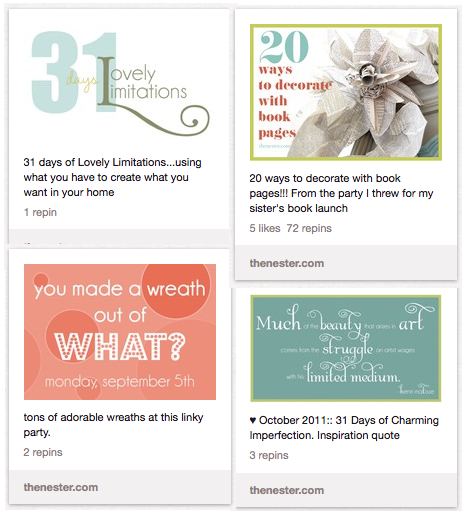
I still need a lot of practice on this one. I’ve only been doing my own graphics for a few months and I have a lot to learn but, don’t forget that people will pin your graphics too. Most of us see photos on Pinterest in this tiny version so, it helps if your graphic is somewhat legible when it’s pinned and viewed at this size.
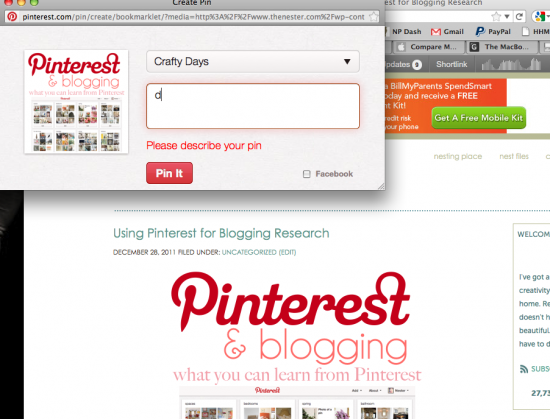
I wanted to make sure the graphic at the top of this post was Pinterest friendly just in case anyone pins it so, I put the post in preview and quickly pinned the graphic just to test it to see if it was legible in the small photo that you see at the Pinterest site.
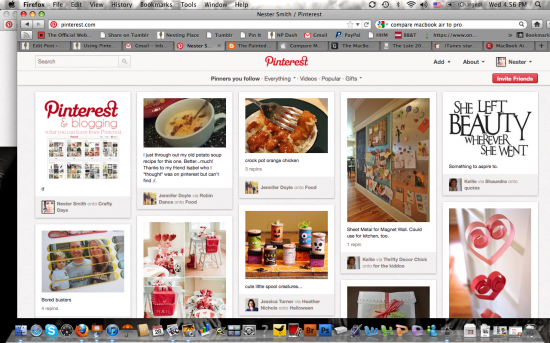
You can see it there on the top left. You could read the words ok so it was good enough for me. So I quickly deleted the pin because this post was not published yet, I just wanted to make sure my graphic was pinable/readable. Clearly I’ve become a Pinterest pimp. And I love it.
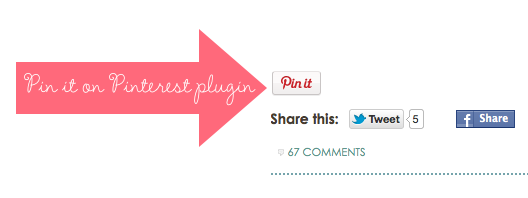
Make it easy for pinners to pin from your site
I use a wordpress plug in called Pin it on Pinterest that lets me attach a pin button to the bottom of a post and then write in my own description and choose a photo that will automatically appear when people click the “pin it” button. People can delete the description and write their own, but, I’m guessing most won’t. Check out the Pin it on Pinterest Plugin site for a video tutorial it’s really easy and I would think a great addition to any blog with photos.
Create Boards that Work For You
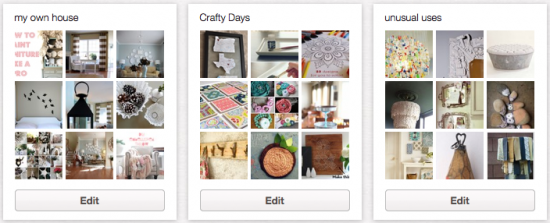
Besides the obvious Pinspiration boards for every room of the house, season, dream, style and such I’ve also used Pinterest for a few other things.
1. To gather information for a series–most of the posts for my 31 Days of Lovely Limitations came from photos I collected in my Unusual Uses pinboard
2. To source ideas for craft day–this was Reeve’s idea, she started a Crafty Day board and then invited me to join, such an easy way for us to collect great craft day ideas
3. To document my own house photos. Ok, so I feel like an idiot every time I pin a photo of my own house but, there’s something to be said about having a board with all photos of your own stuff. When I find a less embarrassing, actual use for it, I’ll let you know but, for now, I just like having it.
Now for the Huh part
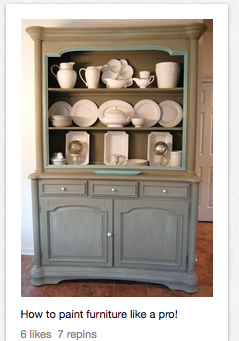
Back in September sales for the two ebooks I promote {Lazy Girl’s Guide to Slipcovers and How to Paint Furniture Like a Real Pro} started doubling. It didn’t take long for me to realize that people were coming from Pinterest directly to my Paint Furniture Like a Real Pro post. Seeing all those pins of a poorly lit hutch taken at a weird angle really made me wish I would have taken the time to take a better photo.
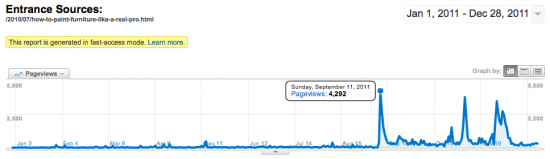
Here’s a screen shot of the hits over the past year on the post I did about painting furniture and how I used Mandie’s ebook to guide me. This post got about 85,000 page views this year and 51,000 of them came from Pinterest just since September. And that post is old– from July of 2010.
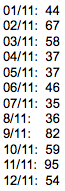
(UPDATE:: 48 hours after I recorded December’s sales and then made the changes I’ll tell you about if you keep reading–we are up to 81 sales! WOW!)
And here’s a little monthly list of the ebooks sold via Nesting Place for Mandie’s Painting Furniture book. You can see a definite jump in September. In November Nesting Place got over 40,000 hits from Pinterest–22,000 went to the how to paint furniture post that talks about the ebook. I think I might have pinned this photo/post one time–all the other pins were from readers/repinners and such. Yippie, right?!
BUT….
{this is the part where this post gets long and wordy and dramatic. hold me?}
Wow. So, just today I actually clicked on that post and checked it out. The two photos were horrible (remember it’s an 18 month old post~maybe my photography skills have improved!?). There was no before photo. I went back in and updated photos for the post but, the old photos that were already pinned will continue to be passed around.
I titled the post How to Paint Furniture Like a Real Pro…if you are a regular here and know my personality, I don’t think it was a put off that I didn’t actually explain step by step how to paint–I told how I did most of the painting in my unconventional imperfect way and then I got stuck at the table top so I contacted a professional, a friend and sponsor of Nesting Place who I encouraged to write an ebook. She walked me through the steps and I used the post as a jumping off point to introduce her ebook to you, much like I did with the slipcover ebook.
I got about 50 comments at the time and there were no reactions that I tricked anyone into reading a post about how to paint furniture and then baited and switched. I think mostly because I pretty much tell you every single thing I know how to do {Ok, so I’ve never told you how I organize my refrigerator–oh wait, I did tell you that} so the regular Nesting Place community seemed to totally get that the post was a cleverly titled intro to my friend’s ebook. You all are pretty honest in the comments and I try to be sensitive to stuff like that so I felt like the post went over fine. I think you know me well enough to know if I promote something it’s because I think it’s worth it. And I’m not ashamed to promote something that I think is valuable.
Today, I also read the last two comments left recently and the commenters were really mad and feeling like it was a bait and switch. The comments accused me of advertising a DIY on Pinterest and then trying to sell something. It’s not like I never get negative comments, trust me I do but, these comments made me think. Then it hit me, they see all these people pinning it saying “How to Paint Furniture” which is what I called the post~and they expect a step by step DIY in the post and they think that I am trying to trick people. It really made me think about the title because my intention wasn’t to mislead it was to truly share how I paint furniture–which was by getting Mandie’s advice–which anyone can do if they read her little book. And which in the context of Nesting Place isn’t trickery at all. So, I think the titled translated fine for this nice, forgiving, you-know-me-and-trust-me-{hopefully?}-community but, when some people click over from Pinterest, they feel mislead. Which is something I never expected.
Part of me totally gets that but, there have been a zillion times I’ve clicked on a pinterest photo and it turned out to be a photography or cooking ebook or a product in a magazine and I haven’t felt tricked, I felt like the pinner was trying to share something they thought was worthwhile. But, really it doesn’t matter what I think, it matters what the people clicking here from Pinterest think–because for some reason there’s a lot of them and I don’t want them to think Nesting Place is a Tricking site. A let down. A site of lies. Am I being too dramatic?
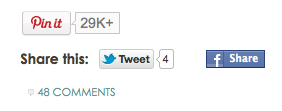
According to my Pin it on Pinterest button, that post had been pinned/repinned over 29,000 times (updated to 174,00 times) I’m not really sure what to do about that. I don’t want 20,000 people coming here only to feel like I tricked them–even though it’s most likely not my pin they are even clicking on and I have no control if the pinner describes it as “The best DIY ever on painting for free with a million dollar giveaway you must click”, for example. I’d rather not sell any ebooks and have those people want to hang out at Nesting Place than sell a few more and have most people feel tricked. Although I have no idea if most people felt tricked or just a very few. It’s definitely something to think about with how photos get labeled at Pinterest~so I’m keeping that in mind for future post titles. I think I’ll call this post Everything You want to Know About Pinterest Plus a Free Million Dollars just to test it out.
I did make a new graphic and pinned it one time. And for the record within hours it was repinned numerous times and I sold eight books in a matter of hours which really just confirms that people do trust their fellow pinners and also that people want to know how to paint furniture and are willing to pay for an ebook about it.
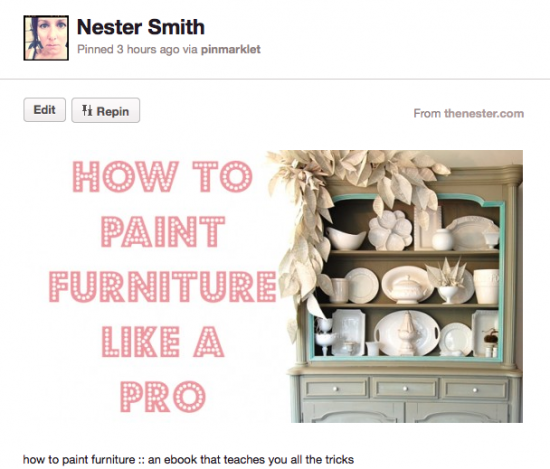
I made sure to mention in the description of my pin that this is an ebook. I didn’t put it in the pink title though. That’s a choice I made, I actually am trying to sell something, but there’s a balance between yelling “hey here’s a book for sale” and tricking someone and maybe this pin does a little better job of being attractive and creatively up-front. But, I cannot control how other people pin it.
UPDATE:: September 16, 2012, I did put “ebook” in the graphic, after a few more comments about my trickery, I couldn’t take it any more. However, I have a feeling putting the word “ebook” in the graphic will not stop the fact that people will feel tricked depending on what the pinner who they clicked from wrote in the comments. Really, you cannot control that part.
There was one other thing I could do. Since I recently installed that plugin I could preload my choice of photo and description into the pin it button…
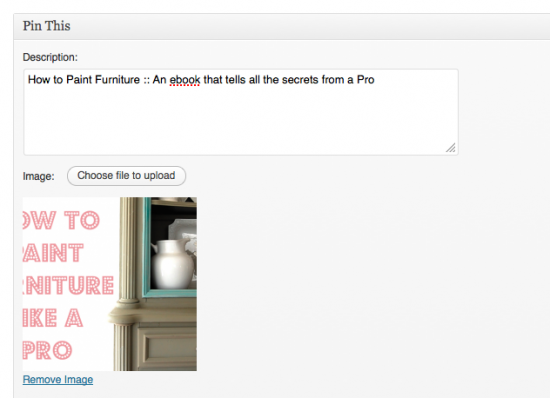
Now when someone pins from Nesting Place Pin it button, MY description will automatically go in the box so they will have to manually delete it to write something else.
So I’m hoping that can control a little what people expect when they click on the pin to find out how to paint furniture. But, for the most part that’s out of my hands. We all know there are a bagillion blog posts, books, ebooks, and videos we can watch about how to paint furniture. We can all find out that information for free–just google it, you can have days and days worth of free, furniture painting information. The problem is, we prefer to get our information from someone who’s actually used a method and was happy with the results. And I’m guessing that’s the majority of who’s pinning.
So what are your thoughts, have you found a great plugin? Have you learned a Pinterest secret?
