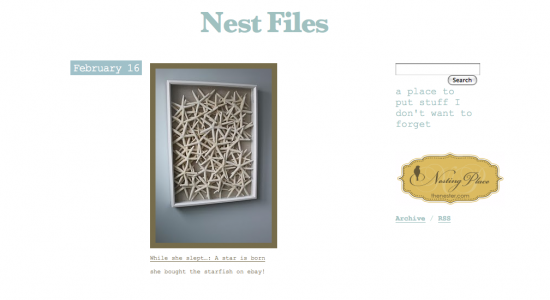
the Nest Files tumblr page
Ever since Nesting Place made the big move from Blogger to WordPress last December, there have been a few things I’ve needed to tweak. One is figuring out the best way to show off a link page. For now, I thought I’d share with you a few ways I try to keep track of some of you talented creatures, there are entirely too many of you and there’s simply no way to keep up. But, here’s how I try.
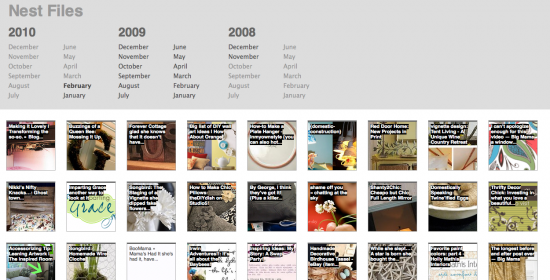
One of the ways I link to others is through the Nesting Place tumblr site called the Nest Files. Tumblr makes it super easy to add great links while you are web surfing–they provide a button you can put in your tool bar that says “add to tumblr” it’s so much easier than slowly uploading each photo to your website. It automatically links to the post and you can even set it up to auto tweet on twitter when you add a new link. Since I always use a photo my tumblr tweets always start off with the word “Photo”. Classy.
I get lots of emails asking me how to set up a tumblr site and I’m actually still figuring everything out. Basically, I sat behind my computer for a few hours and picked a template that I felt like worked for what I wanted to do. I just experimented with it and I still tweak things all the time. If you know a good tumblr tutorial I’d love to have you link to it in the comments.

Most of the time, on Saturdays I try to put together a bird watching post. Usually, it’s housey stuff, sometimes is food related, sometimes, I’m too lazy and don’t do it. These birds are all uber talented peeps who inspire me and I hope will inspire you.
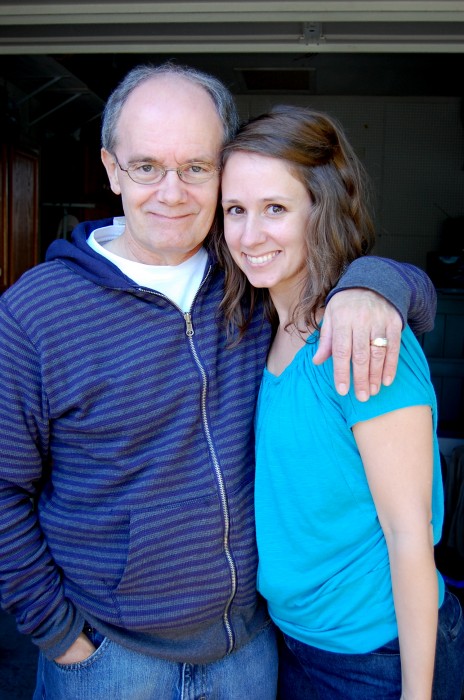
Also, two of my favorite blogs in the universe just happen to be written by my Dad @ New Life’n {he’s a local DJ and this is his blog for the radio station–sometimes he reminds me of a Jesusy Seth Godin}, and my sister, Emily @ Chatting at the Sky {most of you already know her but if not, her tag line is “a place for your soul to breathe”, she’s the host of Tuesday’s Unwrapped and is the kind of writer who makes you wonder if she can read your mind, she is currently working on two books that will be published next year}.
I also have a tiny circle of close bloggy friends that I just adore and have to hold myself back from linking to every day, my sister is part of that group too:
for some reason I cannot get them to stay centered, forgive me?

How do you organize your links? Do you value links to other great sites?


I love using http://www.delicious.com to catalog my links. I have them all set in different categories (Fall Decor, Christmas, Everyday, etc.) and can access them from any computer just by logging in. Perfect if you don’t always use the same computer and want access to your stuff!
Although I keep a lot of links through Blogger, I do subscribe to a few, too. Then there is a small handful that I just know the addy and go there (pretty much) daily.
I love your Nest Files! I have tumblr but don’t update it often enough. Thanks for the button in the tool bar tip, I’ve got to find that so I utilize it more often.
I love the photo of your sister & dad!! I miss hearing him in the mornings. I have to remind myself to turn on the radio in the afternoons so I can hear him. I just started tumbling… don’t have the hang of it yet. The button would certainly make it easier. Having a million “favorites” was just not working for me anymore. You can just get lost out there in the world wide web… so much to see & explore!!! Blessings!
I put shortcuts to all my favorite blogs into a file on my desktop. That way it is easy to check them daily!
The Mac top sites function in Safari is my alarm clock update that someone I like has posted something new. Since that only holds like 12 sites, I am not doing so well at getting around to everyone I like, so I am enjoying getting other ideas! Thanks Stacie for the delicious idea!
I follow blogs using my blogger dashboard. And I have recently signed up for tumblr. Thank you soooooo much for the toolbar tip!! :) Girl you just saved me some time!! I use the tumblr for projects that “inspire me” or “capture my attention”. Off to tumblr to find that toolbar!!
I tried to figure out the Tumblr thing, but I got frustrated and never did anything with it after setting it up. Maybe I should give it another shot! I think linking to other bloggers and sharing the love (and traffic) is what blogging is all about. :-)
Thanks for this post! I have seen your tumbler links and wondered how you set that up. I really want to do that too – there are so many inspiring women who come up with the most wonderful ideas. Thanks so much — I really enjoy you blog.
XOXO
Jen
I love links to other great blogs! That’s how I have found most of the blogs I love. I just set up a tumblr account this morning. Not sure how to use it yet, but I’m going to work on it.
LOVE all the blogs you mentioned! :)
Oh, I always love looking at through your Tumbler when I need additional inspiration but haven’t set mine up yet…I will….this week…or next. :)
And I love you like crazy too…(in the most platonic, normal friend way…hee hee).
I’ve been using iGoogle. But, I’m open to trying something new. I do lie the visual aspect of Tumblr. So, I might head over there.
Um…my problem is that I don’t organize my links very well. I think this Tumblr thing might be what I need.
I’ve recently started doing a “Friday Favorites Feature,” where I do a little post with some of my favorite posts that I found on other blogs during the week. That’s great and I love doing it, but it’s hard to go back and find the project I was looking for, and I can’t post about EVERY awesome thing I find, or the post would be too long and no one would read it. :s
When I find a craft/decor post/recipe I like, I usually put it in an appropriately labeled bookmark file, but those don’t showcase the photos, which I love.
I love to check out your Nest Files. Maybe I’ll start my own Tumblr filing system. Thanks for the reminder! :)
What a cute pic of your dad and sis!
I have a links page that is screaming for an update. And then I’m about to change to WP, so I don’t know what’s going to happen.
I was thinking of some sort of plug-in that highlights a certain blog every day? Or rolls to show who has recently updated?
I love your Tumblr idea, though! Thanks!
I’ve been wanting to try Tumblr, I think you just convinced me :) I have a separate page on my blog called Links, where I post buttons of blogs I read. But I like to link to specific posts, or cool ideas, so once in a while I do a post called Homegrown Links. Can’t wait to try Tumblr
How I save my fav links is catagorize them in my favorites in a special folder, called Internet Inspiration.
First I name the room, then a small description
ie: Kitchen / white cabinets 3 or fireplace / old rock 1.
This method makes it very easy to go back and find links depending on what I wish to study up on.
Donna
I don’t, I just bookmark anything I think might be good, and do a go through every couple of months.
I MUST have one of those tea cup clocks, it is amazing!
Just coming by to say hi. That is all.
:-)
xo
i’m TERRIBLE at organizing links…i basically just bookmark everything under a tag and then amass the hugest collection of links ever and never ever look at them again because it’s too overwhelming. does that make you feel better? :)
yes.
I LOVE links. I value them very much. That’s how I found everyone’s blog. I don’t think I’ve ever googled “home decor blogs” or anything like that. A friend told me about your blog, and from you I found Emily and Kimba and Jen and Melissa, and from them I found. . . you get the drift.
I have links to my favorite blogs in my sidebar, but that’s about all I’ve got going on. I need to figure out a good way to “save” the posts I like the best. You do a great job of it.
And may I just say that seeing my little post in your tumblr file thrills my little heart.
I’m a convert to Delicious. I like being able to tag links instead of categorizing them only one way. All my blogs I subscribe to in Bloglines. I wonder how Tumblr is different. Off to check . . .
yes, I subscribe to lots of blogs w/rss but I think you are right about Delicious being a great way to really categorize particular posts that you want to be able to find. I might have to do that for myself!
YEs!
I love your birdwatching posts.
As far as organizing, I just read what is in my “feed” (Right? Is that what it’s called?) and I have a folder in my favorites for inspiration. But I’m definitely looking for ways that’ll save me time.
I’ve been using Tumblr for awhile now, I think I first saw it on your blog! :) I love it for collecting bits of inspiration I’d personally use again in my own home. I don’t even think I ever even mentioned to anyone that I have a tumblr file. Hmm. Thanks for the tip about the toolbar thingy…that’ll save tons of time!
Blessings,
Stacey
I just do whatever you do, so send out a memo on the tumbler, k?
A hug from Texas.
Ha, sorry, this comment made me laugh. Even from February.
Thanks for the tumblr info. I would love a tumblr tutorial! I have always found it kind of mysterious (especially wondering what they have against the letter “e”? :) Hee-hee-hee.
I definitely value links to other sites. If I love a blog, chances are I will also love the sites that blogger recommends!
too funny, the “e”.
Ok…so I’m being very vulnerable at the moment, but I just discovered this whole world of etsy, blogging and the seriously gorgeous inspirations going on here!!!
I was tied to my brick&mortar and magazines. I’m loving this, but feel like a little infant learning to walk!! My favorites and dashboard are both filling up quickly so I need to learn more about this tumbler thing…but first…can someone link me to a good tutorial on creating/pasting buttons. I want to add several buttons of these fabulous sites to my own…”so-so…getting better” blog:) Help!!
Thanks to all of you for living your messy-beautiful lives with passion!!!!
-Tenneil
dirtyhands-beautifullife.blogspot.com
I just started a tumblr a few weeks ago to show off all the photos of homes and decor that catches my eye. So fun! I love the links to what other people are up to. I get introduced to so many other bloggers that way.
I recently had to cut waaaaay back on the blogs I read. I follow the ones I MUST read every day and just pop my dashboard up to see the latest posts. I depend on you lovely women to link me to others I MUST read occasionally. : )
How’s that for organization? : )
I keep my favorite blogs on a blog roll on my home page. I use the setting that allows to most recently updated roll to the top and include the post title (so I don’t go back and reread). That works best for me.
I signed up for tumblr a while ago…I think after I saw it here. But it’s never made it’s way into my routine.
I have a bunch of folders where I bookmark things that I want to remember. But they get totally huge and unmanageable.
Smooches to my favorite Birdie!
I need some kind of organization. . I have folders. .and when I bookmark, then I put it in folder .. but I do not like this system.
But I really wanted to tell you is that I LOVE links to other great blogs. . . I do value that and enjoy your Sat posts.
Su
I started a tumblr blog about a year ago – I love it and have the link at the top of my blog titled TidyMom Finds…….sometimes I am better than others at adding to it, the toolbar button sounds great! I’m off to look for it now! I’m sure there is more I could do with tumblr….need to spend the time looking it over or looking for tuts – I’ll let you know if I find any!!
I just found some nice tuts on You Tube
for beginners – how to set up Tumblr http://www.youtube.com/watch?v=QwD83uGRzMc&feature=related
how to customize themes on Tumblr http://www.youtube.com/watch?v=1fiBKGV1azk&feature=channel
if you look over to the right on this youtube channel they have a whole series of tumblr tutorial that are really nice!
Thank you so much for this post! I’d wondered if there was an easier way to upload to Tumblr. This will save me so much time!
Organize my links? Ha. No such thing around here. Yet!
I love your Tumbler tweets and often get lost in them for too long when I am supposed to be doing other things. So yes, I value them!
The “share on tumblr” feature is EXACTLY what I was looking for! Thanks so much!
I swear by Delicious.
I have added a toolbar to my browser, so any time I want to bookmark something, I just click a button and type in my tags. If I have used a tag before, it automatically enters it for me. It’s great to be able to go back through my bookmarks and search by one tag, or a few, at the same time.
It also has a spot (when you’re adding tags) to send the link to someone else. VERY handy!
Great Job